Hybrid Events: Managing Room and Stream
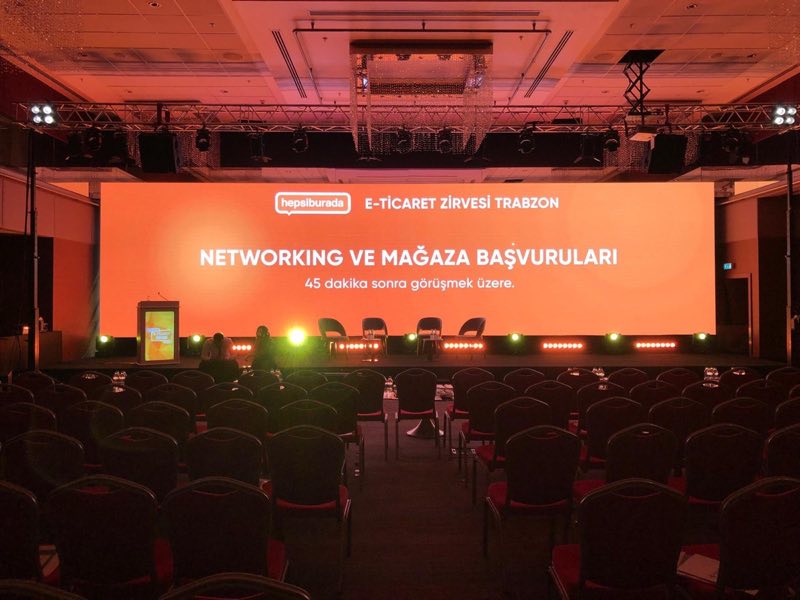
A hybrid event plays the same programme to two different audiences: the people in the room and the people behind screens. Their needs differ, and a plan centred on one loses the other. Treat it as two events sharing one stage — including in budget and staffing.
Two experience designs
The in-room delegate values atmosphere, networking and hospitality. The online viewer values picture, sound and pace. Review each programme segment through the second lens: long award announcements that work in the room die on screen; cut in short videos and graphics for the stream. Keep the total programme tighter than a room-only event — screen attention spans demand it.
Broadcast infrastructure
- Multi-camera coverage with a dedicated stream director
- A separate broadcast mix from the sound desk — never the room PA picked up by a camera microphone
- Clean-feed capture of presentation graphics
- Stable, ideally redundant, internet connectivity
- A platform with capacity, Q&A and polling, and the right access control
Review room lighting against camera requirements: what satisfies the eye can be inadequate on the stream.
Dedicated moderation
The online audience's biggest risk is feeling like a spectator at a window. Counter it with an online-only moderator: collecting questions to the stage, greeting remote participants by name, running polls and sharing results. Loading these duties onto the stage host guarantees one channel gets neglected. Reserve a quota for online questions in every Q&A block.
Participant communication
Send joining links, a test link and technical requirements at least a day ahead. Never leave the stream empty during breaks — backstage shots, short films and sponsor loops keep remote viewers connected while the room stretches its legs.
Budget honestly
Hybrid adds a production budget on top of the room budget: camera crew and direction, platform licence, extra bandwidth, the online moderator, broadcast graphics. Funding these by trimming the room budget weakens both experiences. Measure cost per participant separately for each channel — that number informs the next format decision.
When not to go hybrid
Three questions settle the format: is there a meaningful audience that cannot attend but needs the content; does the content suit screen consumption (presentations yes, networking formats no); can both channels be funded properly? A single "no" points to room-only or online-only — and a published recording often serves the remote audience at a fraction of the cost. Whatever you decide, rehearse the broadcast side in the full run-through; a stream first tested on show day is the most common hybrid failure.
Platform and recording decisions
Choose the platform on four criteria: concurrent capacity, question-and-polling tools, access control — public, registered or invited — and recording with replay support. For corporate content, access control and data handling usually decide it. Settle recording policy before the event: whether sessions are recorded, who may watch later and for how long, with speaker consent collected up front. The replay link belongs in the post-event mail to absentees — it is the cheapest reach extension the event owns. Budget the stream as its own production: camera crew, direction, platform licence, dedicated bandwidth, the online moderator and broadcast graphics, and track cost per viewer next to cost per seat.
For end-to-end support with your exhibition stand or corporate event — from design to on-site delivery — get in touch, or see our recent projects.